
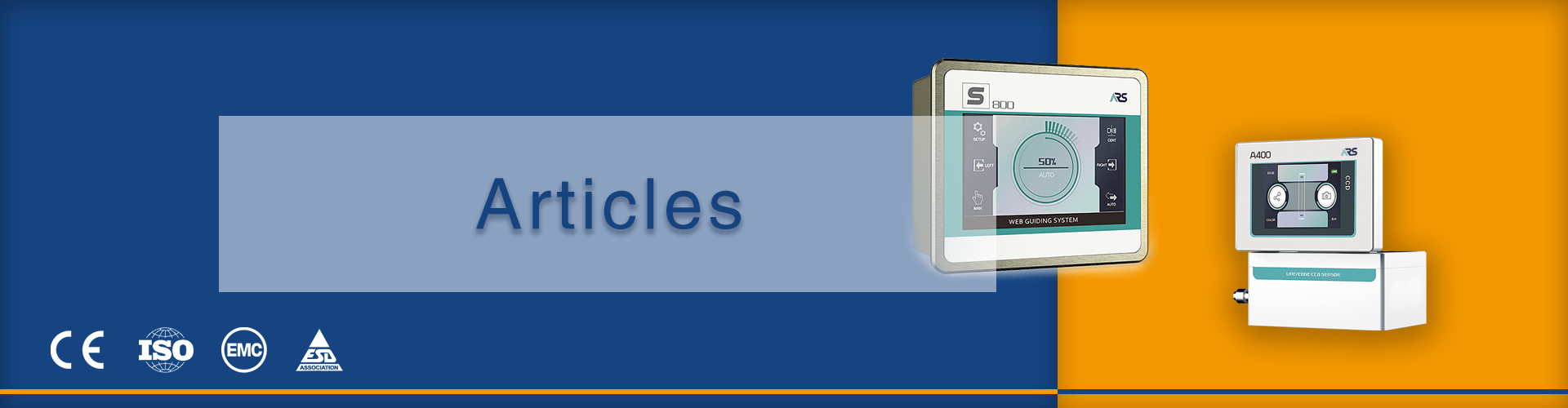
How Unstable Materials Affect Print Quality and the Role of Web Guiding?
If you find that your print quality is inconsistent, with colors shifting, images skewing, and waste material building up, you might think that something is wrong with your printer. More often than not, however, the source of the problem is actually in the materials and their management in the process.
This article will seek to answer the most common questions that printers and converters have about handling unstable materials, and where web guiding systems actually make a difference.
What Are “Unstable Materials” in Printing?
Stated simply, unstable materials are webs that don’t behave in a predictable fashion as they move through a press or converting line.
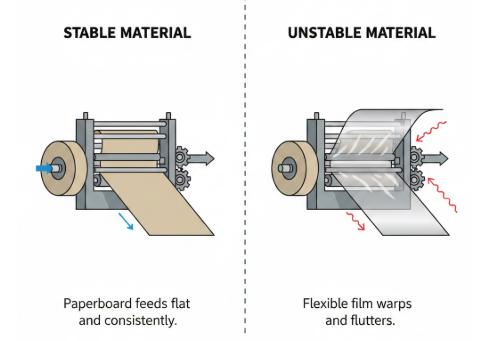
This means materials that:
- Stretch with tension
- Shrink with temperature
- Wander laterally
- React to humidity or coating changes
Examples include thin films, flexible laminated packaging materials, aluminum foils, lightweight papers, nonwovens, and recycled materials. These materials aren’t “bad”; they’re simply sensitive. And sensitive materials without control mean printing problems.
How Do Unstable Materials Directly Affect Print Quality?
Unstable materials do not present one problem. They present a domino effect throughout the entire process.
When a web is stretching unevenly, registration is affected. This means that colors are no longer in registration. When a web is wandering, edge registration is lost. This impacts slitting, coating, or other processes. When a material shrinks or expands in the middle of a run, repeat length is affected, causing image distortion.
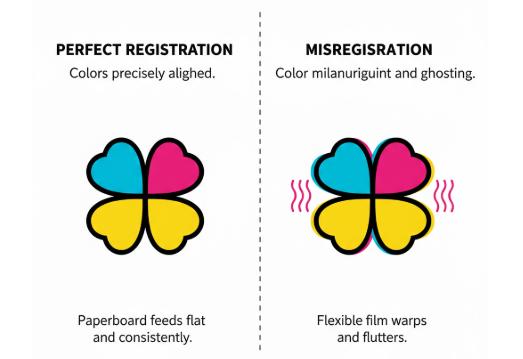
The problem is compounded by the fact that many of these problems are not noticeable. Operators will often try to correct the problem by adjusting tension, pressure, or speed, which can often make the problem worse.
In conclusion:
If the web is not staying in the right place, the print is not going to stay in the right place.
Why Tension Control Cannot Solve Lateral Web Instability?
Tension control is required, but it is frequently misunderstood.
Tension control systems control force in the machine direction. They do not control position in the side-to-side direction. A web can be precisely tensioned and still be out several millimeters in the side-to-side direction.
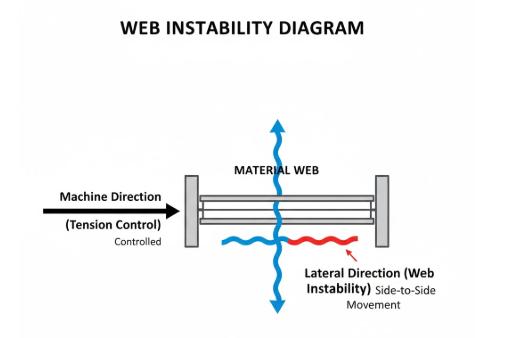
This is evident when:
- The material changes temperature mid-run
- A splice is present in the line
- Roller alignment is slightly off
- The substrate itself is non-uniform
Operators will often raise or lower tension to compensate for misalignment, which will typically exacerbate instability issues, particularly with stretchable films.
Side-to-side instability is a geometric problem, not a force problem. That is why a different solution is required.
How Web Guiding Directly Stabilizes Print Quality?
A web guiding system functions by adjusting the web position during the actual movement of the material, and not after the defects are created. Rather than waiting for the operators to detect the drift and adjust accordingly, the system continuously tracks the actual web position and adjusts accordingly. This ensures that the lateral motion does not accumulate and result in print defects.
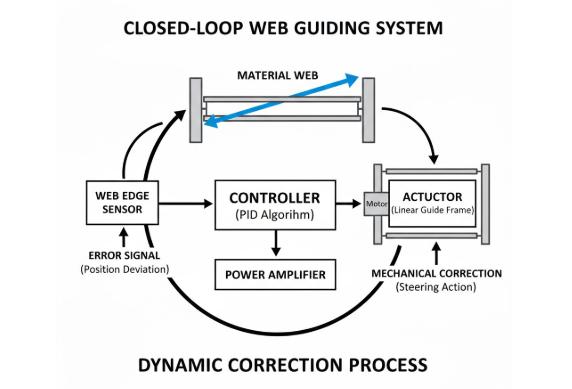
The greatest benefit of a web guiding system is its consistency. Once the web is guided to a fixed reference point, whether it is an edge, centerline, or printed mark, it stays there. The registration is consistent even when the material stretches, shrinks, or responds to temperature changes.
The web guiding system also dampens disturbances that normally affect print quality. Splices, roll changes, and roll edges with varying diameters all cause sudden lateral movements. Without a guiding system, the material would have to wait for the operator to adjust accordingly. With a guiding system, the system adjusts automatically, often before the motion reaches the printing unit.
| Print Challenge | Without Web Guiding | With Web Guiding |
| Lateral web drift | Gradual loss of registration | Continuous position correction |
| Material variability | Frequent manual realignment | Stable alignment despite variation |
| Splice disturbance | Long recovery, high waste | Fast automatic correction |
| Long production runs | Alignment degrades over time | Registration stays consistent |
In practical terms, web guiding turns unstable materials into predictable inputs. The press no longer depends on perfect material behavior or constant operator attention. Print quality becomes repeatable, waste is reduced, and the process stays under control—even when the material itself isn’t.
Where Web Guiding Delivers the Most Value on Unstable Materials?
Web guiding should be used as close to the process step that cannot tolerate alignment problems as possible.
In printing/converting lines, that means:
- Before critical print stations
- Before laminators/coaters
- Before slitters/rewinders
- After unwinding if rolls vary in quality
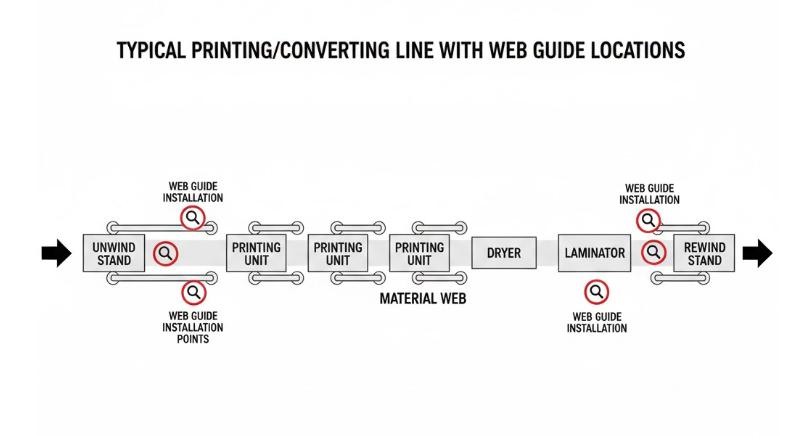
If the web guide is installed too late in the process, it is not as useful. At that point, the defects are already printed, coated, or laminated into the product.
With unstable materials, the goal isn’t to correct the web as much as it is to correct it as soon as possible. Stabilizing the web in the correct position prevents problems rather than merely concealing them.
Stability Is the Foundation of Print Quality
Unstable materials are the norm in printing and converting. Thinner materials, recycled materials, and changing raw materials mean that lateral instability is unavoidable. However, poor print quality doesn’t have to be.
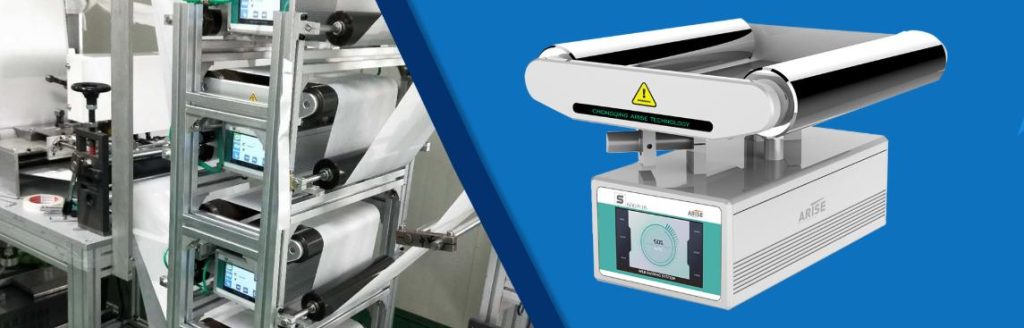
What makes the difference is control. At Arise, we design systems that control the unstable web with fast response times and easy integration. No unnecessary complexity. Just a stable web position for improved registration, less waste, and better overall process control.
Are wasted time and materials due to drift, misregistration, and waste related to a lack of web guiding? Find out how improved web guiding can help improve your print quality. Go to arisewebguiding.com.