
How to Troubleshoot Common Issues in Print Inspection Systems
Print inspection systems are critical to guarantee the quality and uniformity of printed materials. Sensors, cameras, and algorithms combined to identify the distinct flaws, misprints, and abnormalities within the printing process. Although these technologies are sophisticated, every system has problems and malfunctions that could hinder performance. This article discusses the prevalent common problems of print inspection systems and suggests practical troubleshooting steps to overcome them.
Table of Contents
The Importance of Troubleshooting Common Issues in Print Inspection Systems
1. The Impact of Common Issues on Print Quality
A print inspection system is made to detect the flaws, and defects of printed works, such as ink blotches, irregular coloration, uneven alignment, and other omittance. Beyond the system’s performance, even just a brief down-time in these systems technical performance could yield in substantial deviation of the system analytics, in which defects could be overlooked, and misalignment of defect identification, and in some cases the system inaccurately indicates the presence of a defect, and there is no defect. The outcome of these challenges in print quality is extremely detrimental. When defects promoted and unrepresented to the outcome, customers could be provided End products that are unfit of the required, expected standard, which are unfit to the demanded, which are unfit to the expected required outcome, and leads to expensive returns, and customer dissatisfaction, and directly affects the image of the brand.
Common issues such as substandard image quality, software glitches, sensor misalignment, and connection issues can all undermine the accuracy and dependability of the inspection process. Consequently, Continuing a proactive approach to troubleshooting these issues is fundamental for maintaining constant print quality and avoiding the negligence of errors.
2. Minimizing Downtime
Unresolved issues within print inspection systems cause downtime; a clear and immediate consequence. Every minute the system is not operational is a minute of lost productivity, and every minute of operational loss creates a domino effect of overdue deadlines and lost throughput. Quick-first response troubleshooting produces the ability for operators to control problems before the downtime.
3. Enhancing System Efficiency and Accuracy
A print inspection system is geared to improve efficiency by automating the defect identification process. When the system has issues — regardless of being a sensor, camera, or software algorithm — defects will not be detected, or, worse, will be misidentified. Inefficiencies reduce the speed and quality of the entire print run. This is problematic for industries that have large print runs, as unsatisfactory products can be the result. Ensuring inspection systems function efficiently is crucial to productivity and waste control.
4. Preventing Costly Errors and Improving Quality Control
One of the key reasons for analyzing problems with print inspection system is to avoid losing money. Any ongoing problems with a system, no matter how trivial, can result in poor print quality of the final product. Undetected issues with the print quality, whether it’s a misprint, color discrepancies, or missing information, can result in expensive reprints and a higher chance of customer complaints, or even loss of a client or business. Other industries, such as packaging and printing, pharmaceuticals, or consumer electronics, can have even greater consequences such as loss of regulatory compliances, safety issues, or financial loss.
The result of taking a proactive stance on most issues of print inspections is that most of the potential problems can be permanently removed before a customer gets a poor quality product. Problems with image quality, sensor alignment and software issues ought to be fixed so other parts in the production line do not receive and work with a poor quality product. This way great quality products can be produced with minimum loss and expensive reprocessing to correct the problems with the final product.
In addition, ongoing troubleshooting and continuing maintenance support the enhancement of the overall printing quality control processes. In order for the printing inspection systems to function seamlessly, and maintain the ability to perform the task of identifying and reporting discrepancies from the inspection, the issues need be addressed at once as opposed to allowing them to continue. With the effectiveness of systems in identifying discrepancies, the overall quality control processes from inspection will ultimately build the worth of trust in the brand.
5. Extending the Lifespan of Print Inspection Systems
Print inspection systems add value to any organization and, likewise, any sophisticated and high-end machinery, print inspection systems need to be taken care of to reap the benefits for as long as possible. Regular maintenance works in favor of adhering to the bottom line by minimizing issues of system downtime and/or inaccuracies. No based issues tend to accumulate, exuberating the investment made into the system in the first place with changing the system, and/or an increasing investment by forcing the organization to spend more on maintenance and/or replacement repairs.
Common Issues in Print Inspection Systems
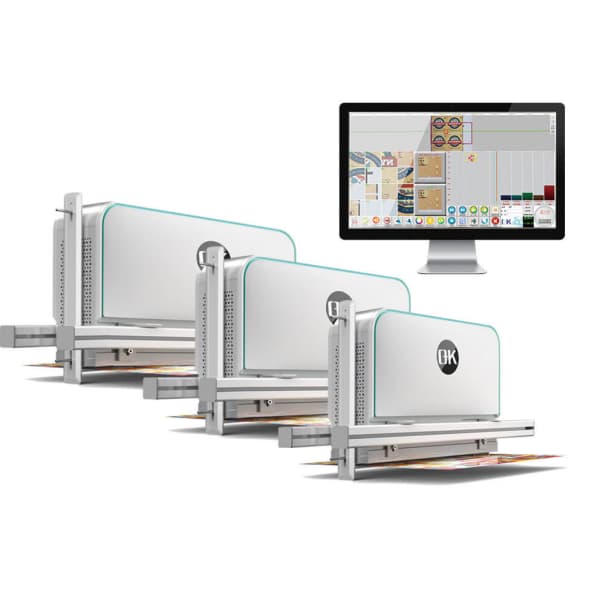
This chart provides a concise overview of the common issues in print inspection systems as well as their symptoms and causes.
| Issue | Symptoms | Causes |
| Image Quality Issues | Low-resolution, blurry images, missed defects | Dirty lenses, improper lighting, incorrect focus settings |
| Software or Algorithm Malfunctions | False positives/negatives, slow processing, system crashes | Outdated software, incorrect algorithm settings, inadequate system training |
| Sensor/Camera Alignment Issues | Inconsistent detection, missed defects, uneven coverage | Misalignment, vibrations, improper mounting |
| Connectivity or Network Problems | Delays, disruptions, system freezes | Faulty cables, network congestion, IP address conflicts |
| Defects in Print Material | Inconsistent print quality, detection failures | Material defects (e.g., wrinkles, tears), print process issues |
| Poor Communication Between Components | Data discrepancies, inaccurate reports, irregular performance | Software/hardware incompatibility, incorrect configuration |
| Excessive Downtime/Delays | Frequent downtime, long setup/calibration times | Lack of preventive maintenance, improper calibration |
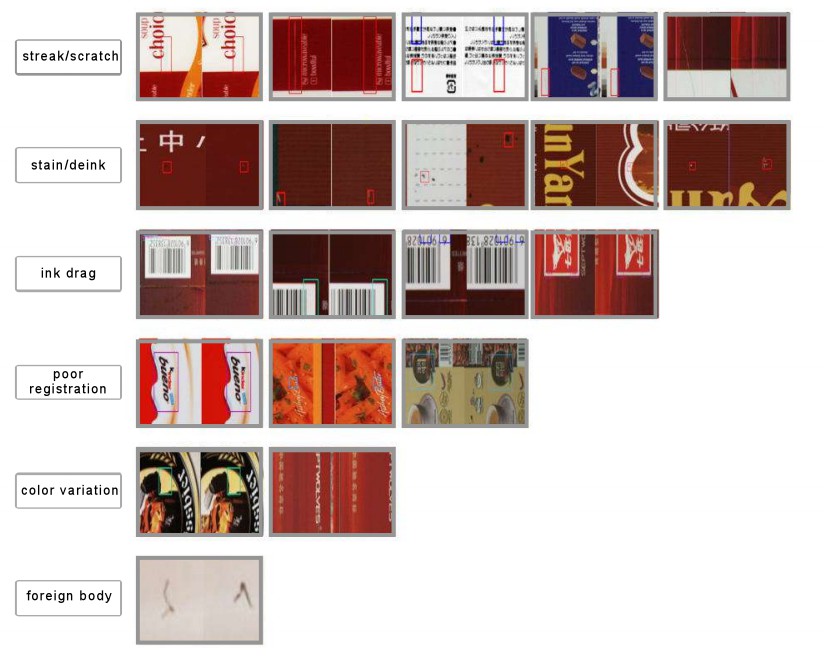
Troubleshooting Steps for Addressing Common Issues in Print Inspection Systems
1. Image Quality Issues
An example of a print inspection system problem is poor quality of images which can result in not identifying any discrepancies. If the images of printed materials taken by the inspection systems are not of high quality in terms of clarity, the ability to detect and accurately suit the correction of a defect.
Troubleshooting Steps
- Clean the Camera Lenses: Dust, ink, or debris on the camera lenses can obstruct the view and degrade image quality. Regularly clean the lenses using a microfiber cloth or lens cleaner to ensure clear, sharp images.
- Adjust Lighting: Lighting plays a crucial role in image quality. Improper or uneven lighting can create shadows, reflections, or insufficient contrast. Adjust the lighting to ensure even illumination across the print surface. Using ring lights or diffuse lighting can help avoid these issues.
- Recalibrate the Focus: Ensure that the camera’s focus is correctly set. If the system’s camera is out of focus, it will capture blurry images, resulting in inaccurate defect detection. Manually adjust the focus settings to ensure a sharp image of the print material.
2. Software or Algorithm Malfunctions
Software or algorithm malfunctions of the system processing can lead to a multitude of problems. This can be the actual absence of a problem, false positives, false negatives, slow processing, and even crashing of the system.
Troubleshooting Steps
- Update the Software: check to ensure the print inspection software to be active is the latest version. Bugs can hinder the software from performing on its ideal. It is advisable to be updated regularly to avoid incompatibilites that will disrupt the system.
- Review Algorithm Settings: Consider the systemic configurations of the defect identifying algorithms. Misconfigurations may cause the system to omit sighting defects or identify non-existing ones. Alter the adjustments of the algorithms to correlate to the missing system defects.
- Retrain the System: If the system continues to create inaccuracies, it might be prudent to retrain the system based on sample printouts of particular defects. In doing this, the system can learn the characteristics of the defects in question and hopefully increase accuracy.
3. Sensor or Camera Alignment Issues
Misalignment of cameras or sensors is another common issue in web inspection systems for printing quality. Proper alignment is critical for ensuring that the entire print surface is accurately inspected. Misalignment can lead to inconsistent coverage and missed defects.
Troubleshooting Steps
- Realign the Sensors and Cameras: Inspect the physical positioning of the cameras and sensors. Ensure that they are correctly aligned with the print surface and each other. Adjust their angles and positions as needed to provide complete and consistent coverage.
- Check for Vibration: Vibration can affect the alignment of components, especially in high-speed printing environments. Ensure that all components are securely mounted and free from external vibrations that could disrupt alignment.
4. Connectivity or Network Issues
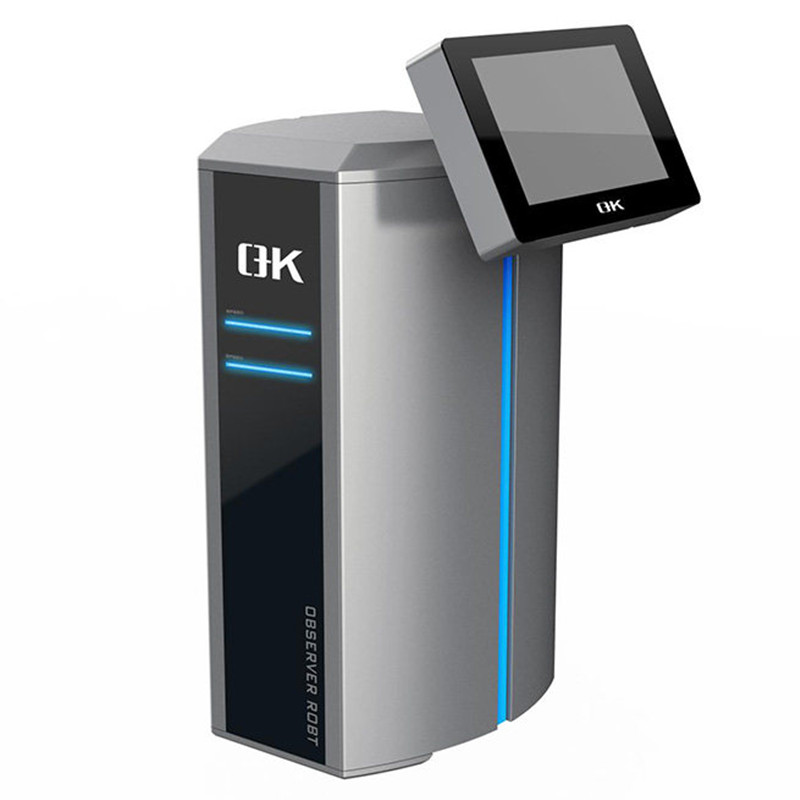
Printing inspection systems typically operate within a network, allowing multiple devices such as cameras and sensors to communicate with the inspection’s software. Loss of connectivity can result in communication breakdowns which can result in delays, loss of data and/or failure of the system to operate.
Troubleshooting Steps
- Inspecting Cables and Connectors: Look for damaged or missing cables and connectors. Any broken cables should be replaced and all connections should be checked and secured in order to facilitate adequate communication among the system components.
- Network Connection Testing: If the system requires network access for remote access or for cloud storage, a network connection must be present. If the system cannot communicate through a reliable high-speed network, the system’s performance can be compromised.
- Look for IP Address Conflicts: If the system employs IP-based communications, confirm that all of the devices within the system operate with distinct IP addresses. Conflicts among devices can lead to breakdowns in communication. Reconfigure the system’s IP addresses as needed to resolve conflicts.
5. Material Defects Affecting Detection
At times, the problem may not lie within the inspection system itself, but with the print material. Defects in the print material—such as wrinkles, tears, or inconsistencies in texture, can affect the accuracy of defect detection.
Troubleshooting Steps
- Inspect Print Material: Before running the material through the inspection system, check for physical inconsistency, including wrinkles, tears, or abnormal texture. If there are any issues, replace that material to warrant accurate inspection outcomes.
- Assess the Printing Process: Confirm that the printing process is functioning at peak performance. Look for problems related to uneven ink coverage, inappropriate pressure, or off-range temperature. If any of these issues are present, they will create defects in the print material, which will then lead the inspection system to apprehend defects that do not truly exist.
6. Poor Communication Between Components
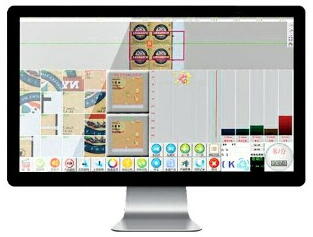
Communication of the components within a Print Inspection System is vital for any system’s operation. Poor communication once established can lead to erroneous results, or, in some cases, a total failure of the system.
Troubleshooting Steps
- Confirm Software and Hardware Compatibility: Confirm that all system components, including the cameras, sensors, and software, are compatible with one another. If any components are not compatible, communication problems can arise, leading the system to become unresponsive.
- Review Settings of the System Configuration: Settings for the system configuration should be reviewed and corrected if necessary. Poor communication can result in erroneous or missing inspection outcomes. Make sure every system component is properly configured and communication rules are synchronized.
7. Excessive Downtime and Delays
Unmitigated downtime disrupts operational workflows and hinders output in the printing inspection systems.
- Schedule Routine Maintenance: Schedule maintenance calendar to systematically examine and service parts like cameras and sensors. Doing maintenance proactively helps to identify and resolve issues ahead of downtimes.
- System Recalibration: For systems that need recalibrating often, make sure they are being calibrated in line with the manufacturer’s recommendation. Eased or adjusted calibrations might result in a less efficient system or further delays.
- Replace Broken Parts: If certain parts of the system, like the sensors or cameras, are broken or malfunctioning, get a replacement in order to lessen downtimes and to optimize the system.
Precautions for Troubleshooting Common Issues in Print Inspection Systems
This chart provides important precautions to follow during troubleshooting to ensure the longevity and safe operation of the 100% print inspection systems.
| Precaution | Description |
| 1. Follow Manufacturer Guidelines | Always consult the user manual or manufacturer’s recommendations before making any adjustments or repairs. |
| 2. Ensure System Is Powered Down | Before inspecting or handling any internal components, make sure the system is powered off to avoid electrical hazards. |
| 3. Use Proper Tools and Equipment | Use the appropriate tools for maintenance tasks to avoid damaging sensitive components like cameras or sensors. |
| 4. Avoid Over-Tightening | When adjusting hardware, avoid over-tightening screws or components as it can lead to damage or misalignment. |
| 5. Work in a Clean Environment | Ensure the workspace is clean and free of debris that could cause damage to sensitive system parts, especially cameras or lenses. |
| 6. Handle Components Carefully | Handle sensors, lenses, and other delicate components with care to prevent scratches, fingerprints, or physical damage. |
| 7. Backup Data Before Adjustments | If applicable, back up any system settings or data before making adjustments to avoid loss of configuration. |
| 8. Check Calibration Regularly | Regularly calibrate the system to maintain optimal accuracy, especially after adjustments or component replacements. |
| 9. Verify Compatibility of Replacements | Ensure that any replacement parts or software updates are compatible with the existing system to avoid further issues. |
| 10. Test System After Repairs | After completing any troubleshooting or repairs, perform thorough testing to ensure the system functions as expected. |
| 11. Protect from Environmental Stress | Avoid exposing the system to extreme temperature, humidity, or dust during maintenance or operation to prevent damage. |
| 12. Use Surge Protection | Always use surge protectors to prevent power surges from damaging electronic components of the inspection system. |
Summary
In print inspection systems, the issues and challenges are inevitable. However, with the most common issues faced, such as poor image quality, software issues, unaligned sensors, communication failures, or even the print material issues, operators do have the opportunity to preempt and respond with effective troubleshooting. Doing maintenance, having the systems set up correctly, and calibrating within the due time-frame helps ensure that 100% full-surface print quality inspection systems will keep providing good performance during the printing process.