
FAQs About Print Quality Inspection Systems: What You Need to Know?
If a printing machine breaches the 200 m/min barrier, human eyes are no longer the effective fail-safe method against print defects as motion blur will take effect on important logos, barcodes, and micro-print. If there’s any ink splash or register problem while running the production process, most likely, you won’t know about that mistake until the whole reel is already printed.
A solution like this that can address this problem is installing an automated print quality inspection system.
Yet the main concern for plant managers is not whether such a machine will work or not, but whether it will be feasible for their operations. How well will it work with their existing machines? How would workers react to its complexity? How often will it interrupt their manufacturing process due to inconsequential faults?
Let’s skip the marketing brochures; let’s see how vision systems actually fit into live manufacturing lines.
Can I Retrofit It to My Current Machine?
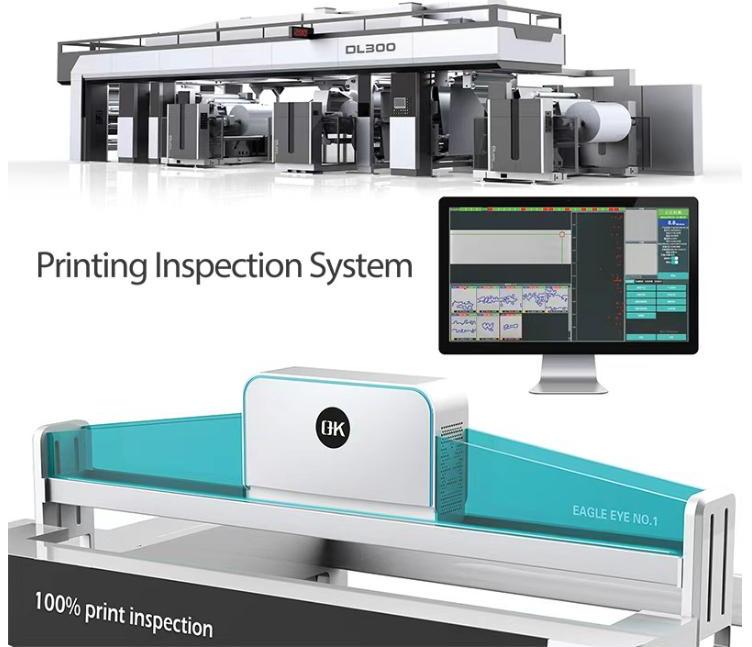
Yes. You don’t need to purchase a completely new printing press or change out your post-press equipment in order to move to automation in your inspection.
Today’s inspection systems are designed as separate, modular add-ons. To attach an inspection system to your existing flexo press, rotogravure press, or slitter rewinder, you will just have to deal with three mechanical integration points:
- Physical Space: This system demands a compact arrangement that needs around 40 to 50 cm of available and easily accessible web space for the installation of the industrial camera box and the high-frequency LED lighting bar.
- Synchronization Speed: In addition to that, a rotary encoder is installed on the existing guide roller to keep track of web speed and inform the camera when to read each line of print, despite accelerating or slowing down.
- Web Stability: The camera system is mounted on a stable part of the machine where there will be no vibrations. For printing machines, this would be after the last drying tunnel, whereas for rewinders, it would be in front of the slitting knives.
Because the inspection system operates on its own software and processor, it does not interfere with your machine’s original PLC or drive motor. It simply watches the moving web.
What Kinds of Defects Can It Actually Catch?
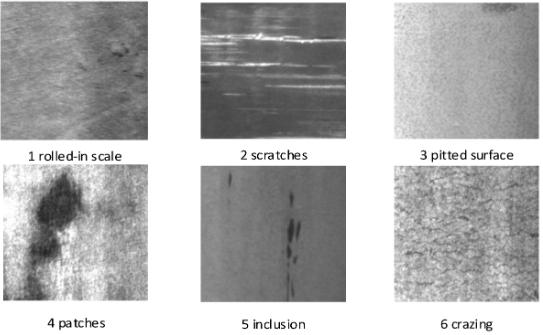
The vision-based process eliminates guessing from humans with precision technology. High-definition line-scan cameras continuously scan the moving web, comparing the ongoing image with the stored reference print (“golden template”).
Since these cameras do not experience motion blur, they will consistently detect the abnormalities that are overlooked by the operators:
| Defect Type | Common Root Cause | How the System Catches It |
| Doctor Blade Streaks | Tiny particles or nicks trapped under the wiping blade. | Detects continuous vertical lines as narrow as 0.1 mm. |
| Ink Splashes & Spots | Ink buildup on the plate or spitting from the fountain. | Identifies localized color and contrast changes instantly. |
| Misregistration | Substrate stretching or tension fluctuations between stations. | Monitors micro-crossmarks to catch shifting colors before they bleed. |
| Missing Print / Voids | Clogged anilox cells or damaged plate fragments. | Flags uninked areas where density drops below the preset limit. |
| Unscannable Barcodes | Low ink contrast, smudging, or tracking errors. | Inline verification software grades 1D/2D codes to ISO standards. |
There is no need to worry about false alerts based on irrelevant small spots, either. The operators can tweak the sensitivity settings from the software interface, tightening the tolerance level for crucial graphics and brand text while loosening the requirements for non-critical trim areas.
Is the Inspection Software Easy for Operators to Learn?
If an inspection system takes 30 minutes of setup time for every new job, your operators will turn it off to protect their hourly output targets.
To prevent this, modern production-line software uses a simplified, three-step setup routine that removes manual programming:
- Run and Capture: The operator starts the job and brings the press to a stable production speed.
- One-Click Auto-Learn: The operator clicks a button on the touchscreen. The system automatically records one complete cylinder rotation, sets the boundaries of the print job, and establishes the reference baseline.
- Set Sensitivity: The operator chooses a standard sensitivity template (e.g., Low, Medium, or High accuracy) based on the client’s quality agreement and presses “Start.”
The entire process takes less than two minutes. The live screen switches to a clean dashboard that displays green for passing runs and flashes red when an issue occurs, allowing the pressman to monitor print quality from across the shop floor.
Does the Press Stop Instantly When a Defect Appears?
Wrong! Slamming on the brakes for a web press that runs 250 or 300 meters per minute creates massive tension swings. It results in torn webs, wrinkled webs, and wear and tear on your print cylinders.
But instead, the system reacts intelligently depending upon how it is incorporated into your production line: inline vs. offline.
In-Line Printing Presses

The machine continues operating at its full speed. In case of any defect, it records the exact yardage or meter reading in the Defect Map on a computer screen and simultaneously initiates non-intrusive alarms:
- A light on a nearby tower blinks, or a sound alarm rings to inform the operator.
- An automatic marker places an indicator strip of paper or applies an ink mark at the defective place on the substrate edge.
- The final roll log gets generated by the computer to be sent to your slitting section to inform the operator about the position of the defect.
At the Slitter Rewinder (Offline Method)
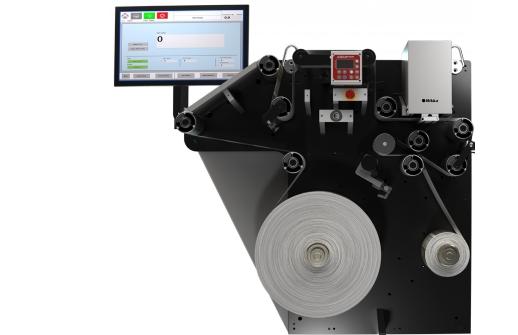
In this case, the print quality inspection system gets connected to the braking system’s PLC of the rewinder. In case of any defect detection, the program calculates the exact distance needed for stopping the machine, considering the line speed, decelerates it, and stops with the bad printing right on the splicing table for further actions of the operator.
We Have Experienced QC staff. Is It Worth It?
There are physical constraints to human sight. As noted in industrial quality investigations, an observer’s attention span decreases considerably after 20-30 minutes of inspecting a rapidly moving web. More importantly, the human eye is not physically capable of seeing print details on a substrate being transported at greater than 100 meters per minute. Strobe lighting is used at high speeds, but it only sees recurring defects since it ignores random defects, such as a speck of ink or dust on the plate.

Using an automated inspection system allows you to move your quality control personnel into a proactive position instead of a reactive one.
It makes itself economical in three different fronts:
- Substrate Saving: Catching a doctor blade streak in 50 meters avoids wasting countless kilometers of costly films, foils, and papers by sending them to scrap.
- Safeguarding Client Contracts: The big consumer products always insist upon their zero-defect policies. Catching the unscannable barcode or color difference before it leaves your plant avoids losing the whole batch, freight refunds, and the fees.
- Objective Proof: Each successful roll comes with an automatic quality report in PDF form. This report becomes your insurance, offering objective proof for your future quality arguments with the clients.
To Conclude
A print quality inspection system is not here to remove the human factor from your plant’s operations; rather, our purpose is to equip your team with the technology necessary to match the speed of today’s manufacturing environment. With our system, you remove the need for human error, integrate with existing equipment, produce quantitative reports, and ensure that your margins are secure and your position as a reliable supplier.